Recently, we had a client whose website was missing a proper favicon on mobile devices — no "Add to Home Screen" icon, no consistent icon across browsers, just the default blank tab icon everywhere.
PrestaShop does not handle favicons well out of the box, and the more devices and browsers you want to support properly, the more icon sizes you have to produce and upload yourself.
For example, to get a favicon that works everywhere, you can do this:
Open an image editor, resize your logo down to 16x16px, save it, resize it again to 32x32px, save it, resize it again to 44x44px, then 180x180px for Apple devices, then 192x192px and 512x512px for Android/PWA — save each one separately, then upload every single file into the right place in your theme.
Repeat this resizing and uploading process every time you want to update your logo.
It lets the admin upload a single original image (PNG/JPG/JPEG), and the module automatically converts it to PNG and generates every standard favicon/icon size (16x16, 32x32, 44x44, apple-touch-icon 180x180, 192x192, 512x512), along with a manifest.json file for web app support.
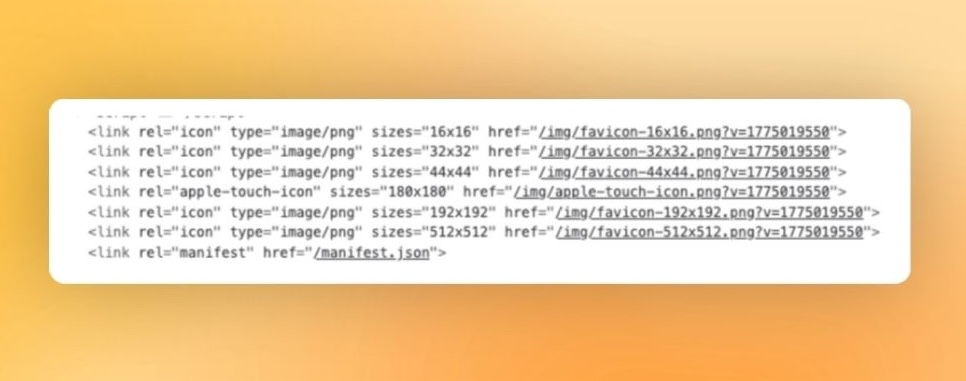
Because creating a favicon that covers every size required by different browsers and devices normally means manually resizing the image size by size in an image editor, then uploading each file into the theme one at a time — which is time-consuming.
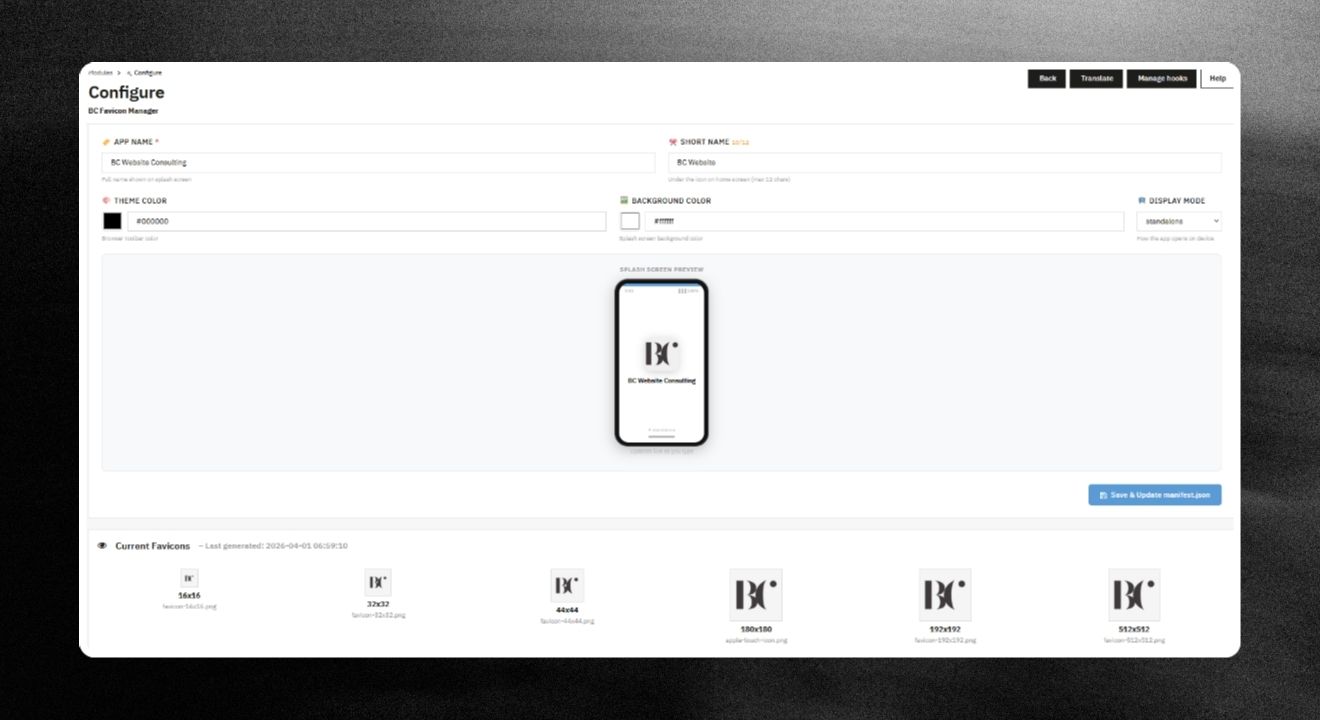
manifest.json file from the configured values (app name, short name, theme color, background color, display mode).manifest.json file to support PWA / Add to Home Screen, with a configuration form included.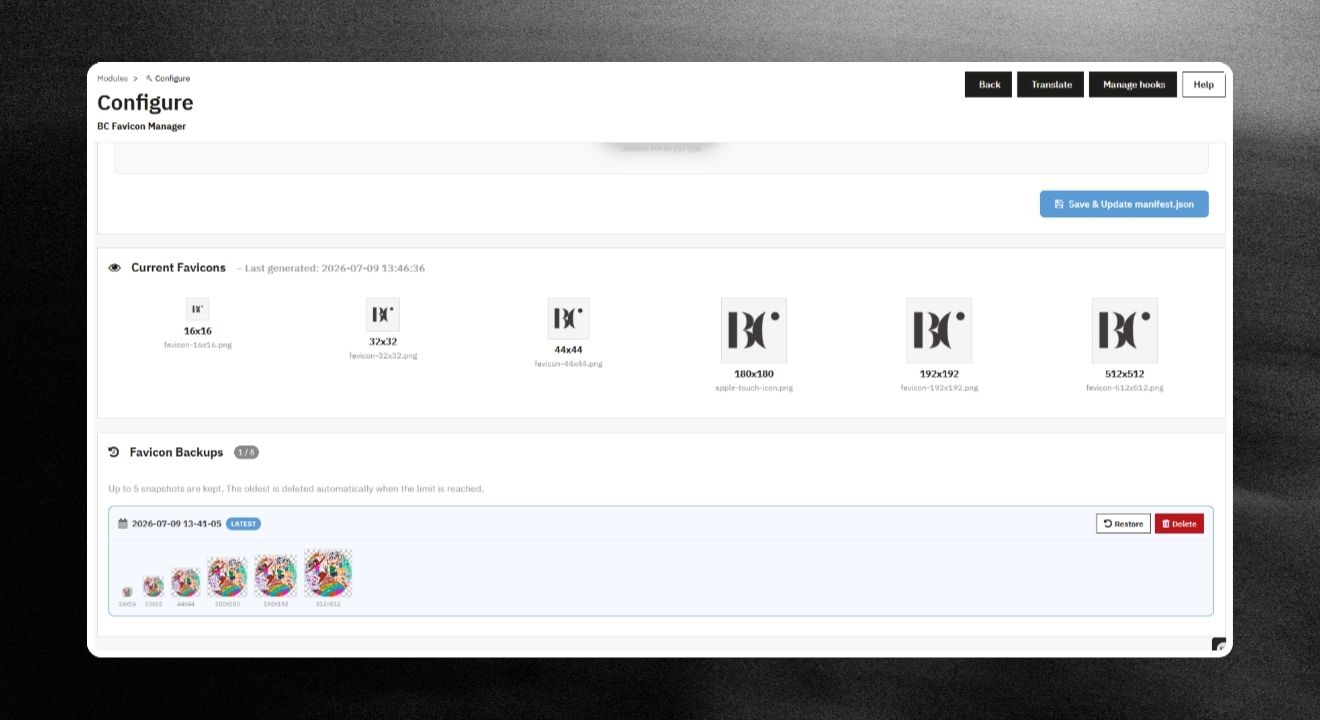
check_circle
check_circle