Recently, we had a client who kept publishing new products and promotions on their website and wanted their Facebook Page followers to know about them every time. But when we looked into it, we found that every time there was a new product, they had to open Facebook separately, copy the product name, description, and link, then download the image from the website and re-upload it all over again.

PrestaShop has no built-in feature to post content that's already on the website directly to a Facebook Page. This forces store owners to do the same work twice every time — updating the website once, then having to sit down and post it to Facebook manually all over again.

What does this module do

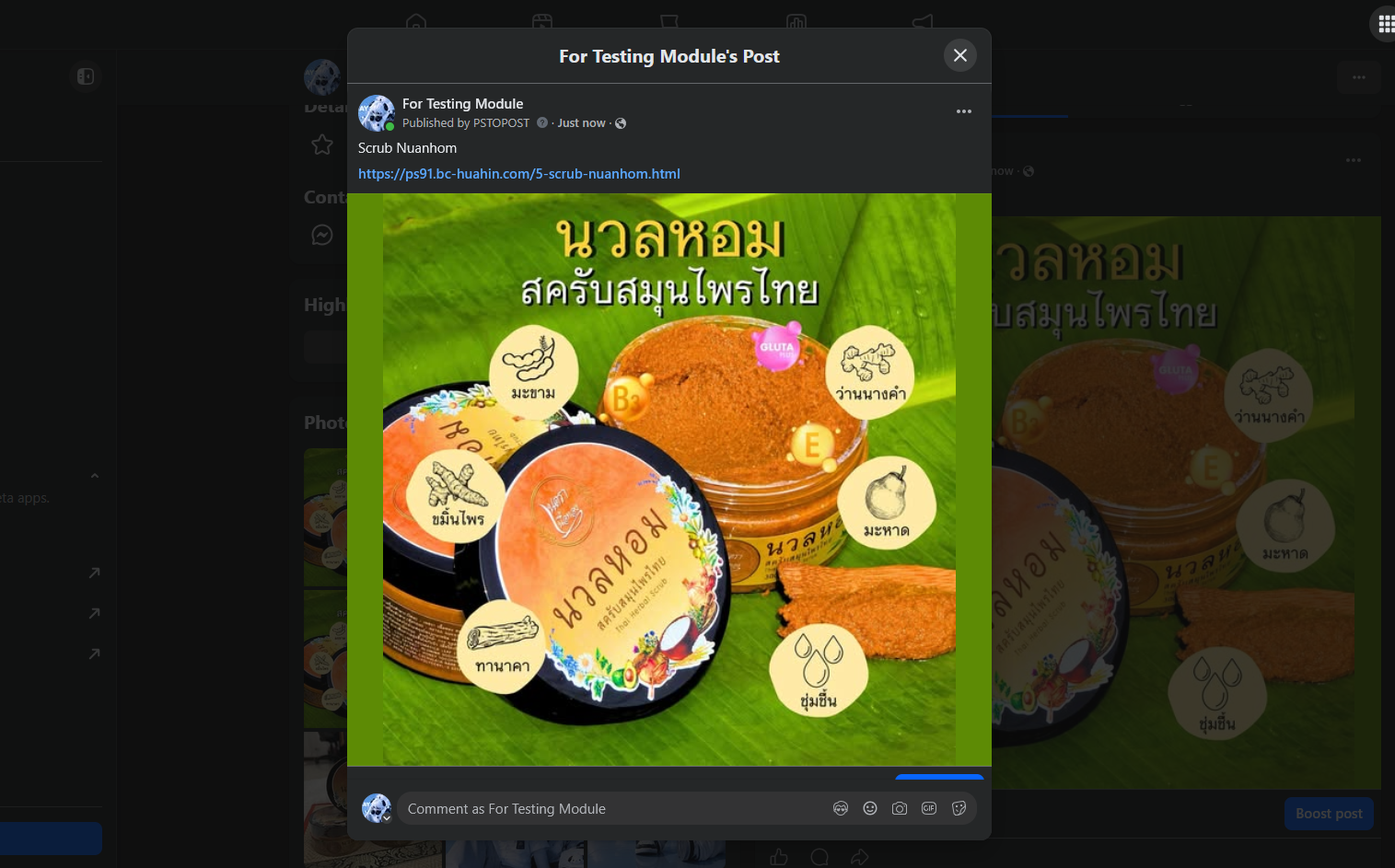
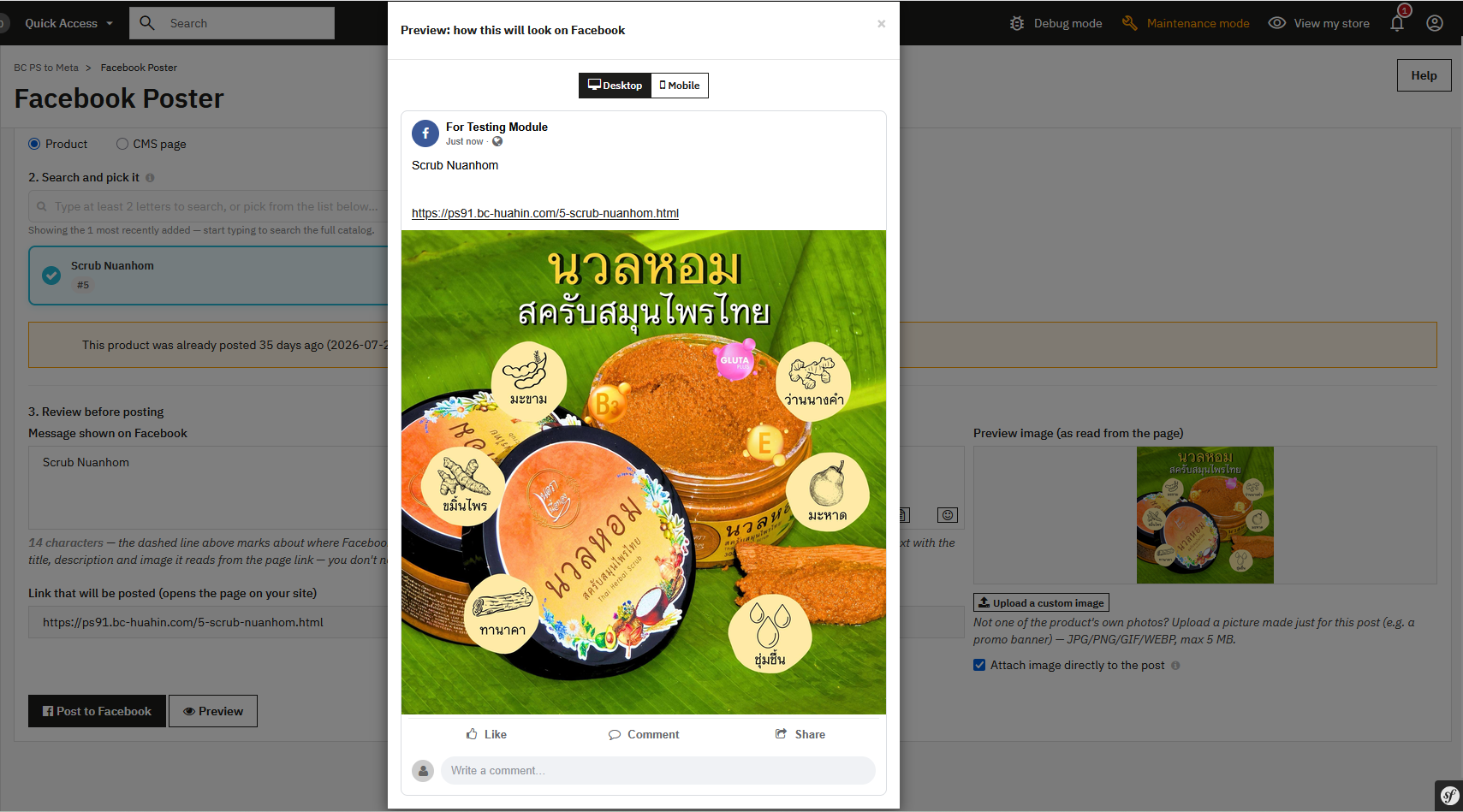
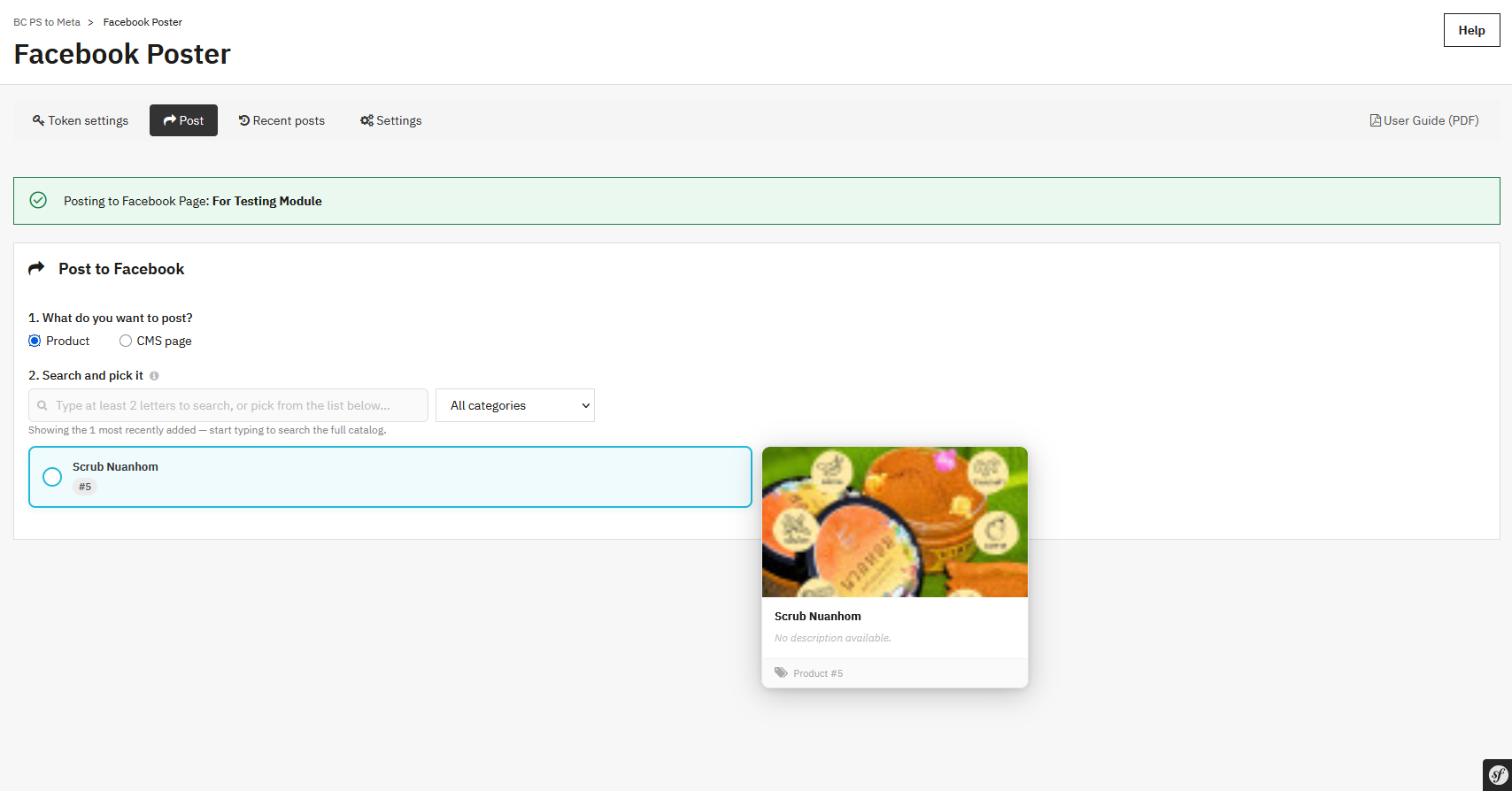
It's a PrestaShop module for posting a Product or a CMS page directly to a connected Facebook Page from the back office — using Facebook's own "link post" feature, so Facebook automatically pulls the title/short description/image/link to build a clickable card, without ever switching over to post manually on Facebook.

Why it was built

Because PrestaShop has no built-in way to connect to a Facebook Page, so every time there's a new product or a new article/page on the site, the admin has to open Facebook separately, copy the title, description, link, and download/re-upload the image by hand. This module was built so promotional posts can be published to Facebook directly from the product page or CMS page in the admin, with no app-switching or manual copying required.

What problem it solves

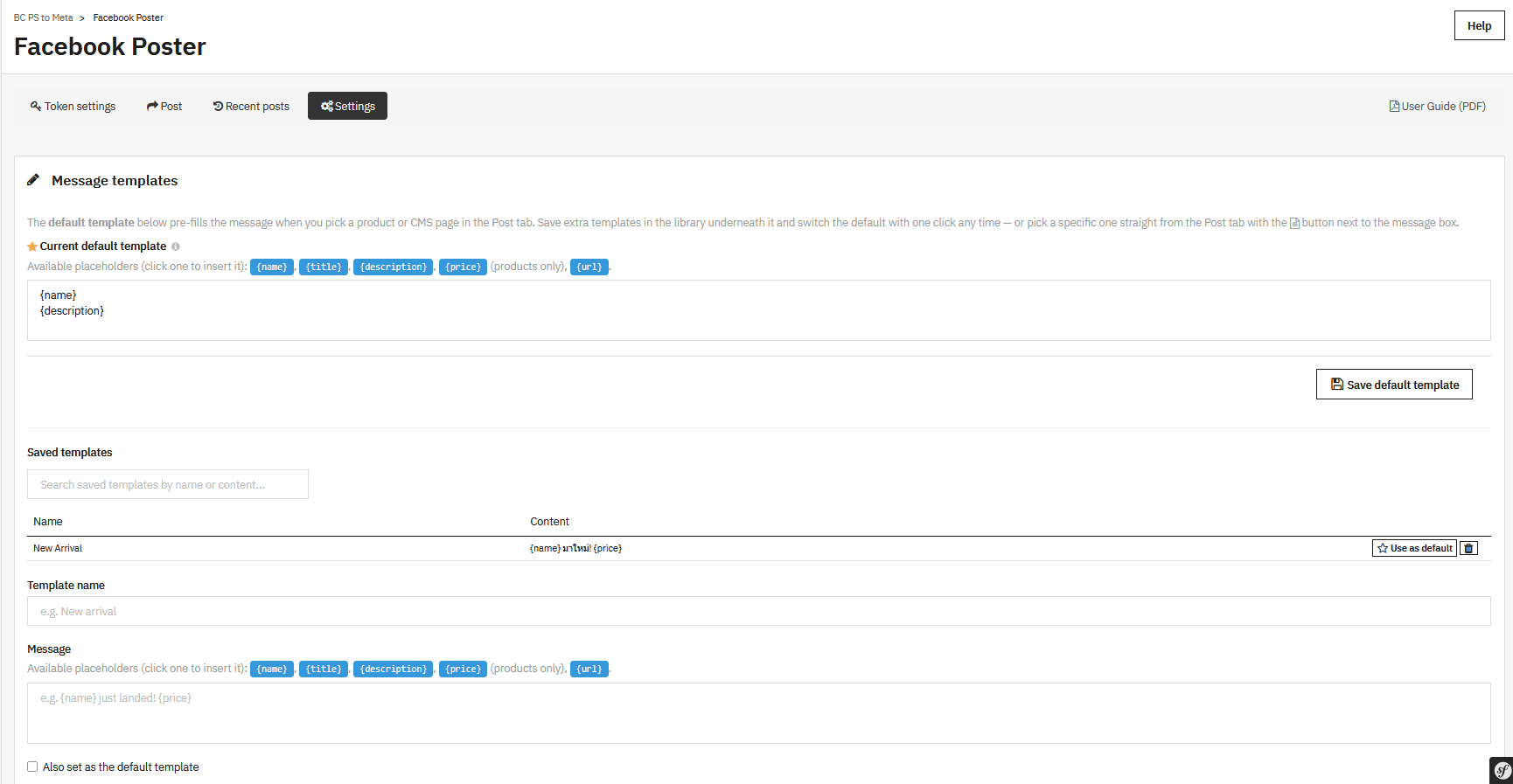
  • The problem of having to manually copy product/article details to post on Facebook every time — the name, description, price, and link are pulled in automatically via a template system with variables ({name}, {description}, {price}, {url})
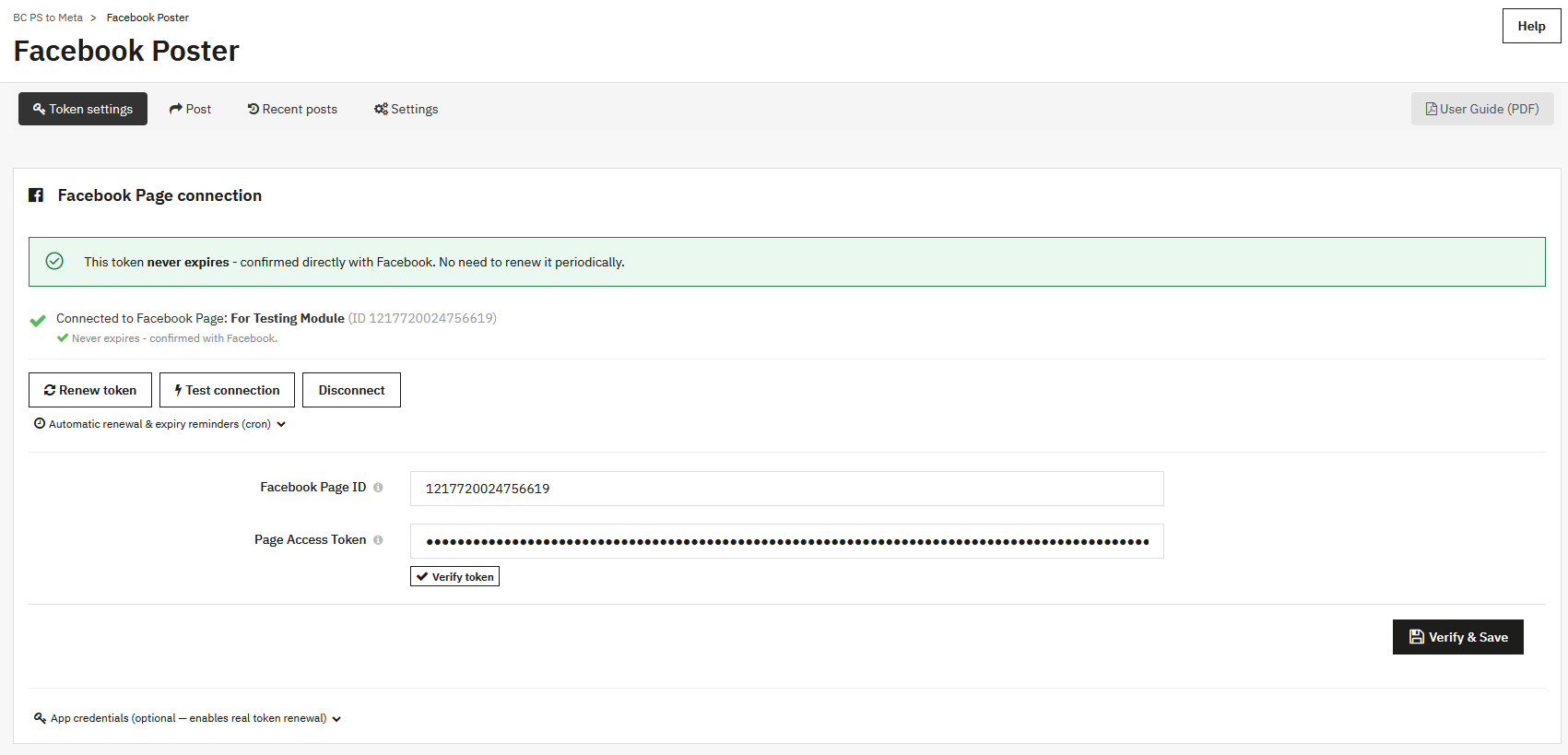
  • The problem of the Facebook Page Token expiring without warning, causing posts to suddenly stop going out — the system checks the real expiry date straight from Facebook itself, sends an email warning before it expires, and has a built-in "Renew token" button
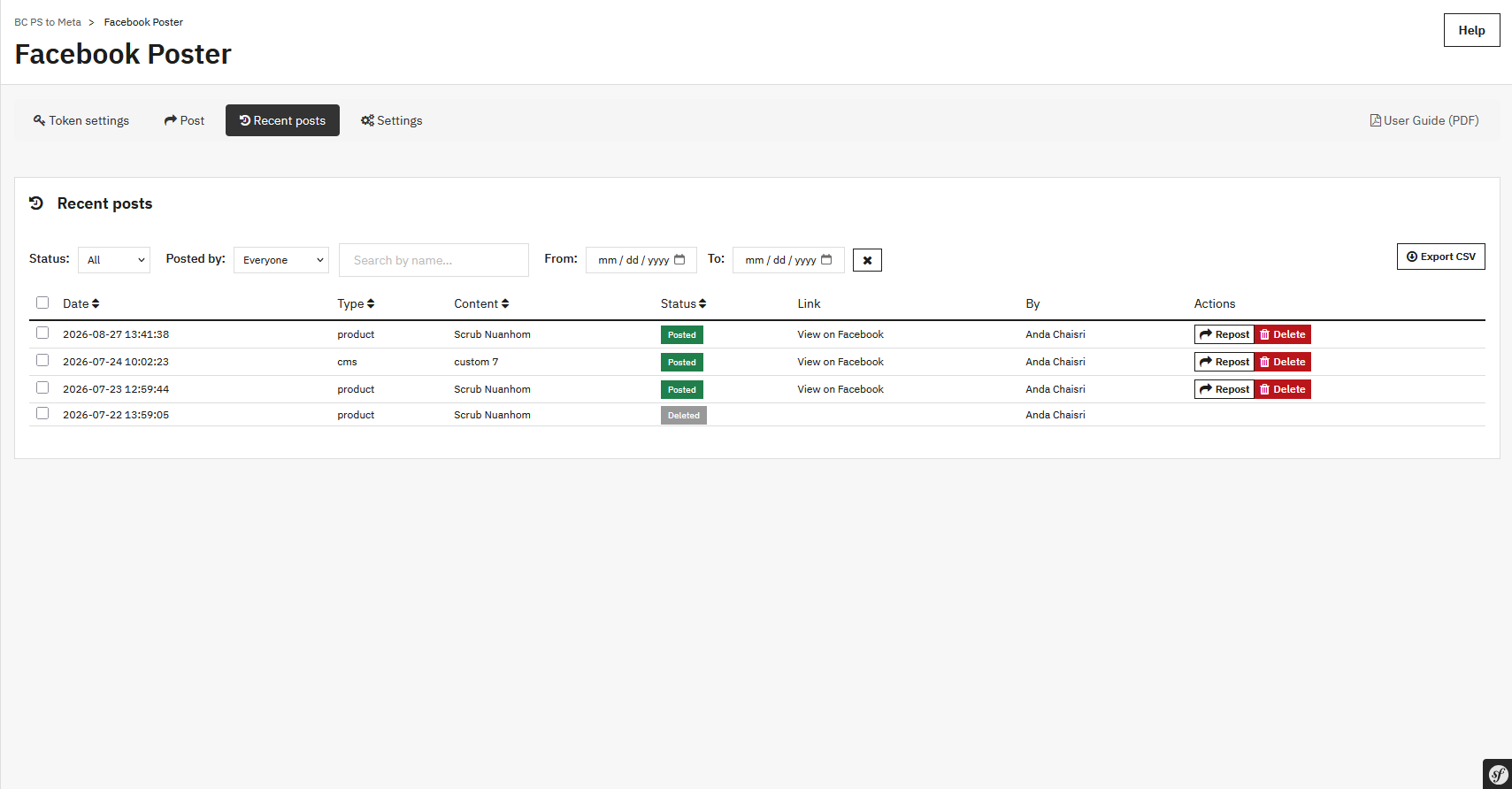
  • The problem of a post failing with no idea why, leaving you to guess — every post is logged with a success/failure status, an email alert is sent when a post fails, and the same failed post can be retried straight from that log entry
  • The problem of retyping similar promotional text over and over — message templates can be saved into a reusable library (template library)

How it works

  1. The admin connects the Facebook Page for the first time in the Settings tab (saving the Page ID, page name, and Page Access Token, with the token's validity checked against Facebook immediately)
  2. To post, go to the product page (an extra tab on the product form) or the Post page in the module's menu, and pick the product/CMS page to promote. The system automatically pulls the name, description, price, link, and image into the message box according to the configured template (editable before posting)
  3. On posting, the system calls the Facebook Graph API as a "link post" (image + title + description + clickable link) and immediately logs the result (success/failure)
  4. A cron endpoint (callable externally via a secret, token-protected URL) periodically checks whether the token is nearing expiry, and if so sends the admin a warning email (sent once per cycle, not repeatedly)
  5. The History page in the admin shows the full posting history, where the status can be viewed, entries deleted, or a failed post retried without having to re-set the message

Features

  • Post both products and CMS pages directly to a Facebook Page from the PrestaShop back office
  • Message template system with automatic variables ({name}, {description}, {price}, {url}) and a template library for saving reusable ones
  • Checks the Facebook Page Token's real expiry date straight from Facebook itself (not just a day-count guess), and flags tokens that never expire
  • A "Renew token" button to renew the token on its own, using multiple methods (via a saved User token, or by exchanging the existing token)
  • Full posting history (log) every time, with success/failure status, ability to delete entries, and a retry button for failed posts
Loading...